
SETI@home Tutorial
In this section we're going to look at how to set up BOINC Manager and participate in the SETI@home project. Download it here.
First, you will have to download BOINC Manager to your computer. Once you've downloaded and installed it, you will need to reboot your computer otherwise the software won't be able to run. BOINC Manager will always start automatically and will be minimized to your notification area.
Step 1:
Once you've rebooted your computer, BOINC Manager should automatically pop up. You should see the following:
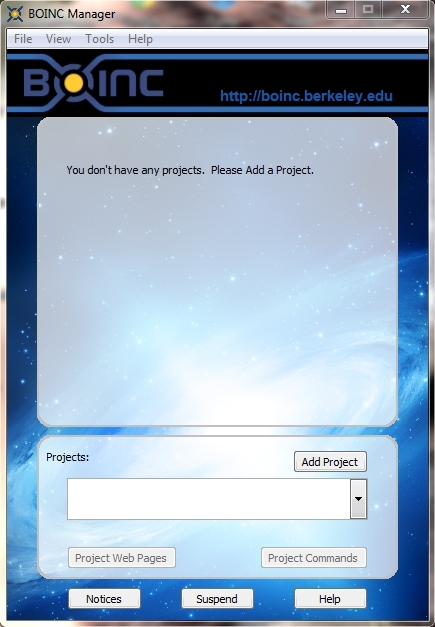
Click on the Add Project button.
Step 2:
The following window pops up:
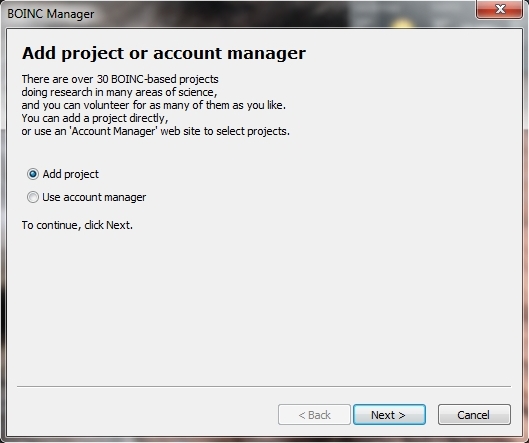
Select Add project and click Next.
Step 3:
Now you will have to choose which project or projects to add. We are focusing on SETI@home, so search and select it.
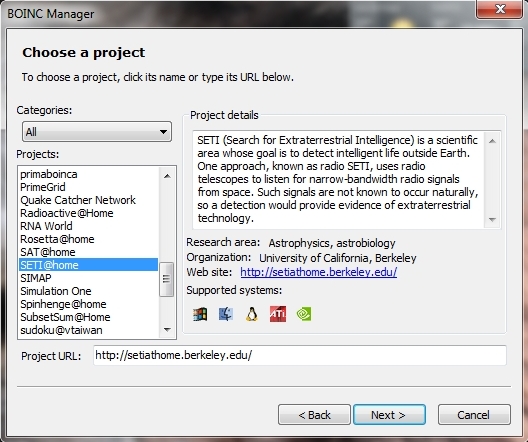
Click on Next.
Step 4:
You will need to register in this step. Give your email address, then choose a password.
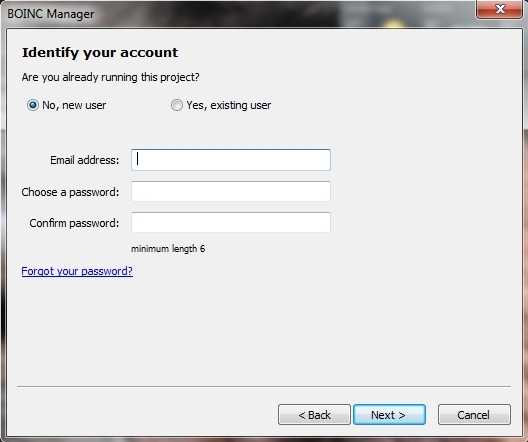
When you're ready, click Next.
Step 5:
On the next window you should see this:
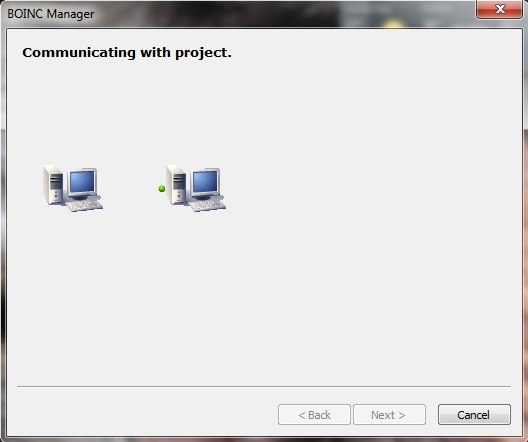
In this process BOINC Manager is registering you in its database. Don't worry, no personal information is collected.
Step 6:
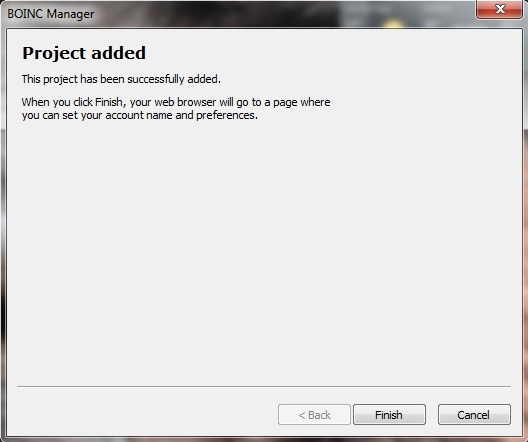
Once the process is done, you should see this window which means that your project has been successfully added and is now ready to be used.
...to be continued...